
Computer problems strike at the worst times and stop people from working. One of the best ways to stay ahead of them is a regular PC audit. A good managed IT services provider runs a checklist like this one to keep every machine performing well and protected. Use it as a reference for your own team.
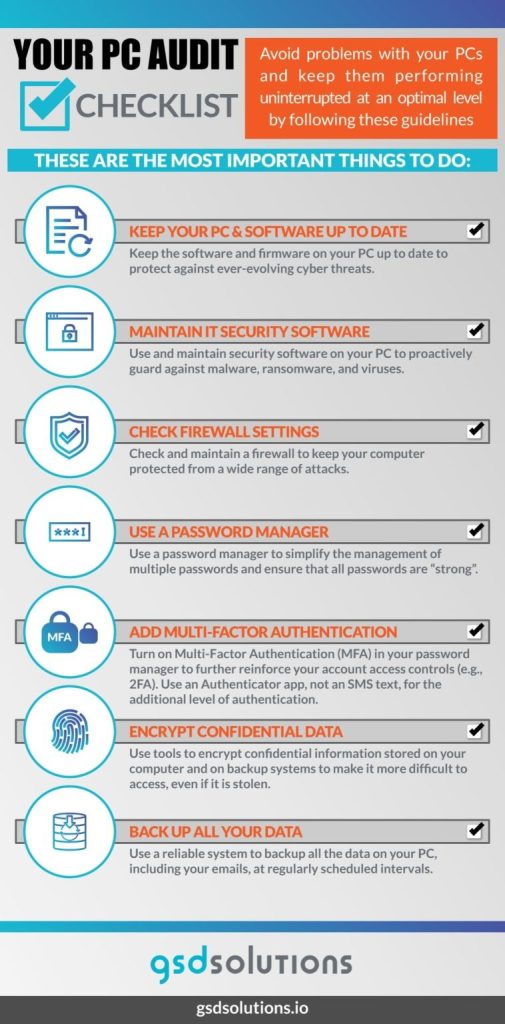
1. Keep the System and Software Up to Date
Updates fix bugs and patch security holes that criminals try to exploit. A provider tests critical patches and security fixes before rolling them out, so updates arrive safely and on schedule.
2. Maintain Security Software
Malware, ransomware, and viruses are constant threats. Make sure up-to-date security software is installed and active on every computer, and that someone is checking that it stays that way.
3. Check Firewall Settings
A firewall is a core layer of protection against network attacks. Windows includes a built-in firewall, and additional firewalls can add depth. Confirm it is switched on and configured correctly on each device.
4. Use a Password Manager
Weak passwords are easy to guess with brute-force tools. A strong password policy backed by a company-approved password manager lets people use long, unique passwords without having to remember them, and makes managing many accounts much simpler.
5. Turn On Multi-Factor Authentication
Multi-factor authentication (MFA) adds more than a password to every sign-in. The three factor types are something you know (a password), something you have (a device), and something you are (a fingerprint or face).
Text-message codes are better than nothing but can be intercepted, so authenticator apps are a stronger choice. For the highest assurance, consider hardware security keys.
6. Encrypt Confidential Data
Stolen data is valuable on criminal marketplaces. Encrypting data on laptops and desktops protects it if a device is lost or compromised, and routine checks confirm encryption stays enabled. To learn what happens when data is exposed, read about dark web scans.
7. Back Up All Your Data
Back up PC data and email on a regular schedule, including cloud email such as Microsoft 365 or Google Workspace. Then test restores so you know recovery works. Compare approaches in offsite vs. onsite backup, and see our backup and recovery service.
Make the Audit a Habit
A checklist only helps if it is used regularly. A provider who delivers proactive IT support will build these checks into routine monitoring and maintenance so problems are caught early. Some businesses also review the physical setup of workstations as part of the same process. For example, see the pros and cons of dual monitor setups.
Get a PC and IT Review From Plexus Technology
Want a second set of eyes on your computers and security settings? Book a discovery call with Plexus Technology, or learn more about our cybersecurity services.